A calm wishlist app for you and your friends


More than a wishlist
For everyone
A birthday wishlist to share with anyone, or a private list of the things you are saving up for
For enthusiasts
Your desk setup, your vinyl shelf, your everyday carry — one link that shows all of it
For creators
Gift guides and gear lists with your own affiliate links — you keep everything they earn
Everything you need
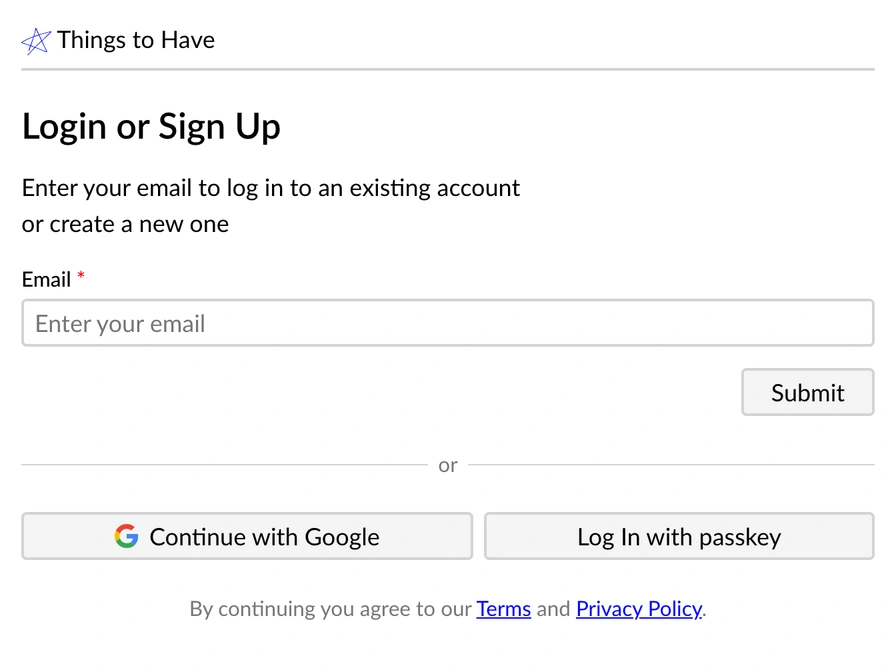
Free & Frictionless
- Completely free with nothing hidden behind a paywall
- Public lists open for anyone — no account needed to read one
- Signing up takes only an email, and there is no password to remember
- Works in any browser, on any device, with nothing to install
Feature-packed
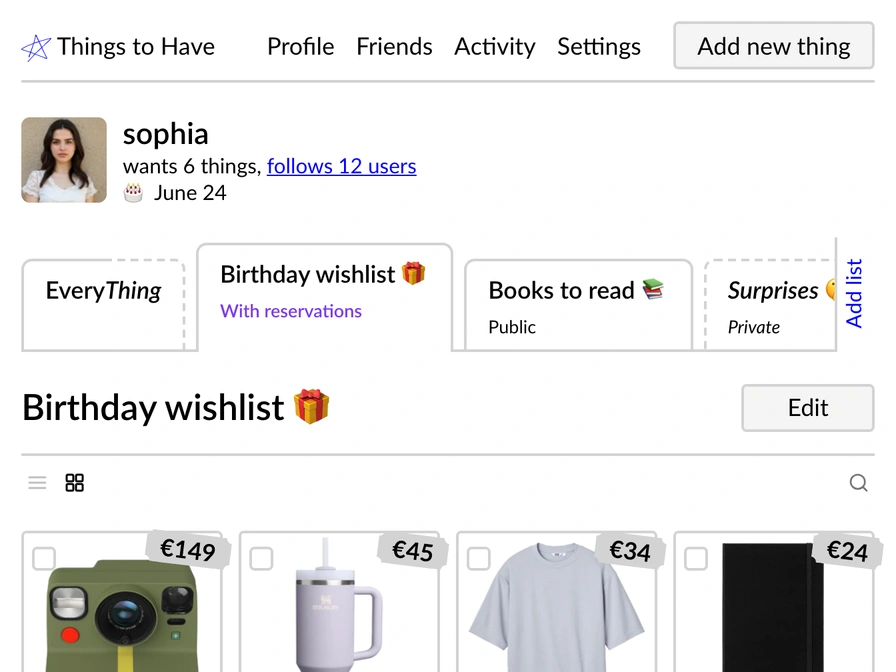
- Flexible lists — a birthday wishlist, a private collection, or an article-like recommendation guide
- Paste a link and the title, photo and price will autofill themselves
- Add images and notes so each thing is exactly the one you mean
- Connect an AI assistant over MCP — Claude, ChatGPT, OpenClaw or Hermes — to manage your wishlist for you
Social-enough
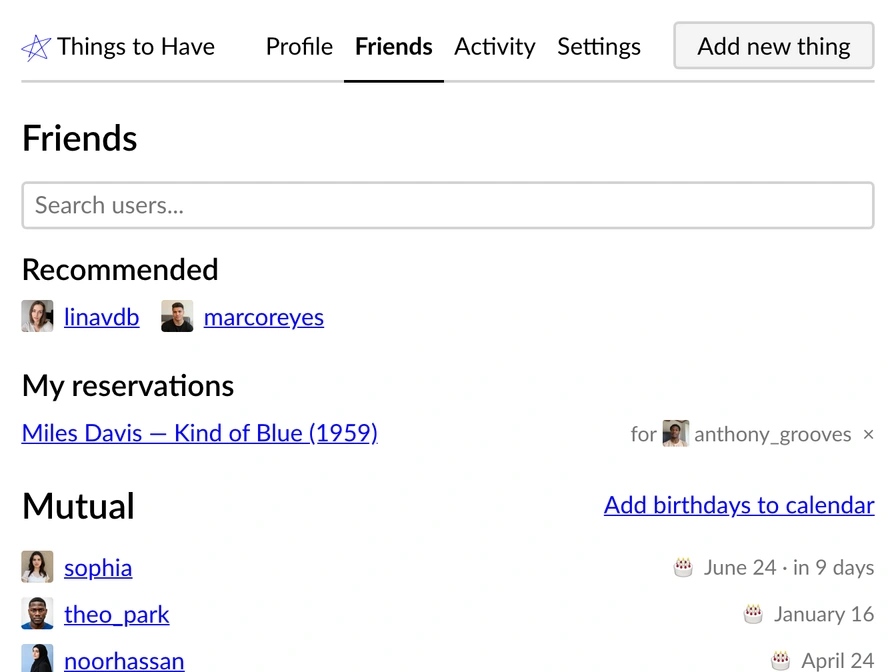
- Notify, and be notified about birthdays
- Reservations, so two people never turn up with the same gift
- An activity feed of what the people you follow have added lately
- Follow like-minded people and find new things at your own pace
- A truly minimal interface that doesn't force a specific aesthetic
Privacy-first
- Everything is private by default — you decide what gets shared
- Check what a visitor sees before you share anything
- Nothing recommended at you — it is your wishlist, not a feed
- GDPR compliant, with no ads and no tracking cookies
- Export everything you have added whenever you like — no lock-in


Your view
Constantly improving
- Manage your wishlist with AI via MCPNow you can connect Claude, ChatGPT, OpenClaw or Hermes to your Things To Have wishlist
- New ways to add thingsNow you can use a bookmarklet or an Apple shortcut to quickly add things. We also made a widget that store owners can use to add a wishlist feature.
- Introducing birthdaysThings To Have now knows about birthdays. Add yours in Settings — mutual friends see it coming, can subscribe to a birthday calendar, and get an email on the day pointing at your profile.
FAQ
Is it free?
Yes — Things To Have is free to use without limits, and there's no paywall coming later.
How do I create a public wishlist?
Sign up with your email, add the things you want, and move them to a public list — all can be done in under five minutes.
Can I use it without social features?
Yes — keep every list private and skip the social side entirely.
Can I share my wishlist with someone who doesn't use the app?
Yes. Public lists open in any browser — just send the link. No account needed.
Can I export my data?
Yes — export everything you have added from settings at any time.
Can an AI assistant manage my wishlist?
Yes — connect Claude, ChatGPT, OpenClaw, Hermes or your own agent over MCP, and it can add things, tidy your lists, and check what your friends want, with your permission for each.