Save to wishlist button
The button lets visitors of your shop or blog save a product to their Things To Have wishlist.
Technically, it is just an HTML link styled as a button. It loads nothing, and doesn't run anything on your users' machines.
No account needed to put it on your site.
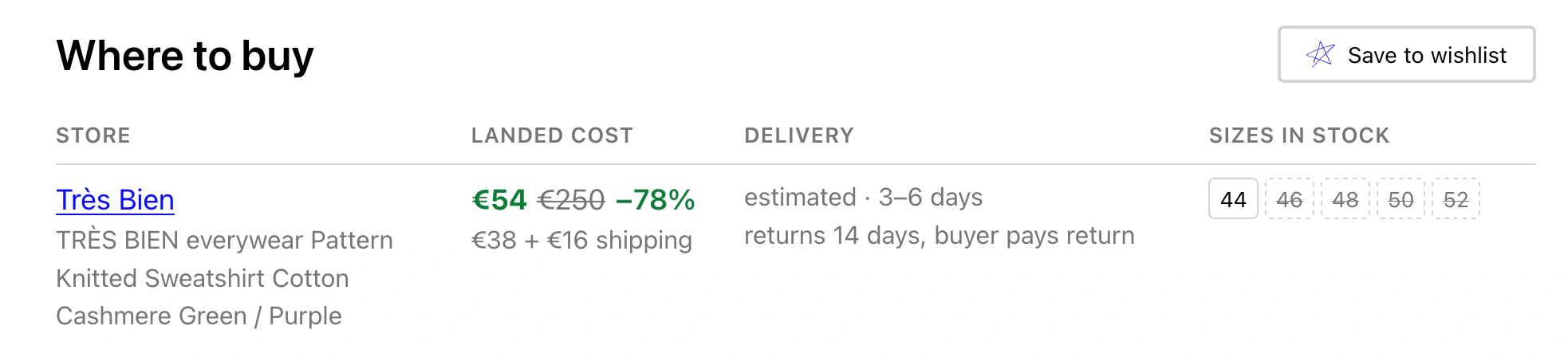
Things To Have integrated into supplyvision.app
Build your button
Fill in the product address and name, then copy the snippet. Paste it wherever you want the button to appear. That's all!
Leave empty to get a snippet with a placeholder you can fill in from your shop template
Optional. Include a currency, like 24 USD. In a template, use PRODUCT_PRICE
Optional. Shown while someone signs in to save it. In a template, use PRODUCT_IMAGE
{path{fill:%236ea8fe}}%3C/style%3E%3Cpath fill='%2300f' d='m97 292.7 1.7-5.1q1.5-5 2.9-8.8 1.1-3.6 7-16.9a612 612 0 0 0 18-46l9.2-25.4q5.3-14.7 13.4-39.5t13.9-43a808 808 0 0 0 14.3-50.5 327 327 0 0 0 5.2-23.7l1.3-7.7 1.2-9a83 83 0 0 1 3-14.1 5.6 5.6 0 0 1 9.8 5.3l-1.2 2.9a64 64 0 0 0-2.5 8l-2.2 8.4q-1 3.3-1.7 7.7a362 362 0 0 1-5.4 24.2L179.6 80q-3.1 12.2-8.8 30.5A2930 2930 0 0 1 135.3 219l-7.6 22.3q-4 11.3-9.2 24.2c-5.2 13-5.4 14-6.1 16.4s-1.4 5.3-2.1 8.8l-1 5.2a6.3 6.3 0 0 1-12.3-3.2M197.9 2.8l4 7.6q4.2 7.7 10.3 20.6c6 12.9 11.4 24.4 21.9 47.4q15.8 34.5 29.5 65a4499 4499 0 0 0 61.7 131 1369 1369 0 0 0 16.4 31.8q2.4 4.6 2.5 10t-3 6.2c-3.3.8-6 0-11.5-1.6s-12.7-4-21.7-7.4q-13.5-5.2-41.5-16.7A5205 5205 0 0 0 160.1 254q-27-10.7-48.5-18.5A738 738 0 0 0 73 222.6a2273 2273 0 0 0-46.9-13.8q-7.2-2.2-11.4-3.8a67 67 0 0 1-13-6 4.7 4.7 0 0 1 5.9-7.5l2.8 2.4q3 2.3 6.8 3.9 4 1.5 11 3.8L47 207q11.5 3.2 28.6 8.3c17.1 5.1 24.4 7.7 38.8 12.9a1808 1808 0 0 1 48.7 18.4l52.9 20.8 53.7 21.6c17.3 6.8 32.2 13 41.1 16.2q13.3 4.8 21.6 6.8 8.3 1.9 6.6 2c-1.7.2-2.5-1.3-4-4.2l-6.3-12a1262 1262 0 0 1-25.2-49.3A4551 4551 0 0 1 255.6 147q-14-30.5-30-64.7t-22.3-46.7c-6.3-12.5-7.9-15-10.8-20l-4.4-7.3a5.6 5.6 0 1 1 9.8-5.6M.3 193.5l.6-1.9q.7-1.8 5.3-5.3 4.6-3.6 13.6-8.5A2886 2886 0 0 1 68 151.7q10-5.5 59.5-24.9a1688 1688 0 0 1 156.4-53l73.2-20.1a301 301 0 0 1 34-7.3l4.5-.7a4.8 4.8 0 0 1-.8 9.6l-3.5-.2a42 42 0 0 0-7.3.4l-9.4 1.7q-5.6 1-15.5 3.8a3408 3408 0 0 0-72.9 20.3A1719 1719 0 0 0 131 134.2 697 697 0 0 0 72 159l-24.4 13.7q-14.4 8-22.9 13l-11.4 6.7q-3 1.8-3.6 3.1l-.6 1.4a4.7 4.7 0 0 1-8.8-3.4M399.3 53l-2 3.9q-2 4-8.2 10-6.2 6.3-27.5 26.5L318 135q-22 21.4-43.2 41.2L211.6 235a730 730 0 0 0-34.2 34l-22 23.3-15.8 17.6q-7 8.1-12.5 14l-9.5 10.2-7.5 8.2L93.4 361l-3.1 3.2a4.3 4.3 0 0 1-6.2-6l3.1-3.2 5.6-5.5a216 216 0 0 0 11.8-12l7.4-8.3 9.5-10.2q5.3-5.7 12.5-13.9 7-8.2 16-17.8c9-9.6 13.2-14.3 22-23.5q13.1-14 18.7-19.5l15.4-15 63-59.1q21-19.8 42.9-41.4l43-42q21-20.4 26.5-26.4c5.5-6 6.2-7.1 7.5-9.2l2-3a4.8 4.8 0 0 1 8.3 4.8'/%3E%3C/svg%3E) Save to wishlist
Save to wishlist<a href="https://thingstohave.app/add?v=2&via=embed&url=PRODUCT_URL&name=PRODUCT_NAME" target="_blank" rel="noopener nofollow" style="display:inline-flex;align-items:center;gap:0.5em;box-sizing:border-box;min-height:2.5em;padding:0.5em 1em;border-radius:4px;font-family:inherit;font-size:0.875em;font-weight:400;line-height:1;text-decoration:none;white-space:nowrap;vertical-align:middle;color-scheme:light dark;border:2px solid #d3d3d3;border-color:light-dark(#d3d3d3,#34383f);background:#ffffff;background:light-dark(#ffffff,#23262c);color:#000000;color:light-dark(#000000,#e8e8e8)"><img src="data:image/svg+xml,%3Csvg xmlns='http://www.w3.org/2000/svg' width='400' height='366' fill='none' viewBox='0 0 400 366'%3E%3Cstyle%3E@media(prefers-color-scheme:dark){path{fill:%236ea8fe}}%3C/style%3E%3Cpath fill='%2300f' d='m97 292.7 1.7-5.1q1.5-5 2.9-8.8 1.1-3.6 7-16.9a612 612 0 0 0 18-46l9.2-25.4q5.3-14.7 13.4-39.5t13.9-43a808 808 0 0 0 14.3-50.5 327 327 0 0 0 5.2-23.7l1.3-7.7 1.2-9a83 83 0 0 1 3-14.1 5.6 5.6 0 0 1 9.8 5.3l-1.2 2.9a64 64 0 0 0-2.5 8l-2.2 8.4q-1 3.3-1.7 7.7a362 362 0 0 1-5.4 24.2L179.6 80q-3.1 12.2-8.8 30.5A2930 2930 0 0 1 135.3 219l-7.6 22.3q-4 11.3-9.2 24.2c-5.2 13-5.4 14-6.1 16.4s-1.4 5.3-2.1 8.8l-1 5.2a6.3 6.3 0 0 1-12.3-3.2M197.9 2.8l4 7.6q4.2 7.7 10.3 20.6c6 12.9 11.4 24.4 21.9 47.4q15.8 34.5 29.5 65a4499 4499 0 0 0 61.7 131 1369 1369 0 0 0 16.4 31.8q2.4 4.6 2.5 10t-3 6.2c-3.3.8-6 0-11.5-1.6s-12.7-4-21.7-7.4q-13.5-5.2-41.5-16.7A5205 5205 0 0 0 160.1 254q-27-10.7-48.5-18.5A738 738 0 0 0 73 222.6a2273 2273 0 0 0-46.9-13.8q-7.2-2.2-11.4-3.8a67 67 0 0 1-13-6 4.7 4.7 0 0 1 5.9-7.5l2.8 2.4q3 2.3 6.8 3.9 4 1.5 11 3.8L47 207q11.5 3.2 28.6 8.3c17.1 5.1 24.4 7.7 38.8 12.9a1808 1808 0 0 1 48.7 18.4l52.9 20.8 53.7 21.6c17.3 6.8 32.2 13 41.1 16.2q13.3 4.8 21.6 6.8 8.3 1.9 6.6 2c-1.7.2-2.5-1.3-4-4.2l-6.3-12a1262 1262 0 0 1-25.2-49.3A4551 4551 0 0 1 255.6 147q-14-30.5-30-64.7t-22.3-46.7c-6.3-12.5-7.9-15-10.8-20l-4.4-7.3a5.6 5.6 0 1 1 9.8-5.6M.3 193.5l.6-1.9q.7-1.8 5.3-5.3 4.6-3.6 13.6-8.5A2886 2886 0 0 1 68 151.7q10-5.5 59.5-24.9a1688 1688 0 0 1 156.4-53l73.2-20.1a301 301 0 0 1 34-7.3l4.5-.7a4.8 4.8 0 0 1-.8 9.6l-3.5-.2a42 42 0 0 0-7.3.4l-9.4 1.7q-5.6 1-15.5 3.8a3408 3408 0 0 0-72.9 20.3A1719 1719 0 0 0 131 134.2 697 697 0 0 0 72 159l-24.4 13.7q-14.4 8-22.9 13l-11.4 6.7q-3 1.8-3.6 3.1l-.6 1.4a4.7 4.7 0 0 1-8.8-3.4M399.3 53l-2 3.9q-2 4-8.2 10-6.2 6.3-27.5 26.5L318 135q-22 21.4-43.2 41.2L211.6 235a730 730 0 0 0-34.2 34l-22 23.3-15.8 17.6q-7 8.1-12.5 14l-9.5 10.2-7.5 8.2L93.4 361l-3.1 3.2a4.3 4.3 0 0 1-6.2-6l3.1-3.2 5.6-5.5a216 216 0 0 0 11.8-12l7.4-8.3 9.5-10.2q5.3-5.7 12.5-13.9 7-8.2 16-17.8c9-9.6 13.2-14.3 22-23.5q13.1-14 18.7-19.5l15.4-15 63-59.1q21-19.8 42.9-41.4l43-42q21-20.4 26.5-26.4c5.5-6 6.2-7.1 7.5-9.2l2-3a4.8 4.8 0 0 1 8.3 4.8'/%3E%3C/svg%3E" width="18" height="18" alt="" style="display:block;width:1.25em;height:1.25em;border:0">Save to wishlist</a>A strict content policy can strip the styling. If your site sends a Content-Security-Policy whose style-src omits 'unsafe-inline', browsers drop the button's inline styles; if its img-src omits data:, the star does not draw. Neither breaks anything — the button falls back to a plain working link.
One button per product
If you are pasting the snippet into a template rather than a single page, leave the address and name empty. The snippet then contains PRODUCT_URL and PRODUCT_NAME, which you replace with your template's own variables.
Encode both values, or the link breaks silently. They sit inside a query string, so an unencoded &, # or ? in a product name ends the parameter early. A product called Porter-Yoshida & Co. Tanker saves as Porter-Yoshida, with Co. Tanker read as a stray parameter and thrown away. Nothing errors — the visitor just gets a wishlist entry with the wrong name.
Every template language has a filter for this:
| Platform | Address | Name |
|---|---|---|
| Shopify | {{ shop.url | append: product.url | url_encode }} | {{ product.title | url_encode }} |
| WordPress | <?php echo urlencode( get_permalink() ); ?> | <?php echo urlencode( get_the_title() ); ?> |
| Jinja / Nunjucks | {{ product.url | urlencode }} | {{ product.title | urlencode }} |
| JavaScript | encodeURIComponent(product.url) | encodeURIComponent(product.title) |
Leave the rest of the snippet as it is.
Note that the builder above only accepts a real web address in the address field. If you paste a template variable into it, it falls back to the PRODUCT_URL placeholder — which is the value you want anyway.
Link parameters
The button is a link to /add. If you would rather build the URL yourself, this is the contract:
| Parameter | Required | Meaning |
|---|---|---|
url | yes | The product page address, URL-encoded. Must be http or https |
name | no | The product name, URL-encoded |
price | no | Amount with a currency, like 24 USD or 19,99 €. An amount without a currency is ignored |
image | no | Product image address, URL-encoded. Must be http or https |
v | no | Which version of the snippet this is. We use it to tell old buttons apart |
via | no | Where the click came from. The button sends embed |
Pass the canonical product address, not whatever path the visitor happens to be on. A wishlist entry outlives the filtered, sorted or campaign-tagged URL someone arrived through, and the canonical address is the one that will still resolve a year from now.
Unknown parameters are dropped.
Light, dark, or automatic
The default button carries its own light and dark palettes and switches with the visitor's system setting, so it looks right on a site that follows prefers-color-scheme. Browsers too old to understand that show the light palette.
Pick Light or Dark instead if your site pins its palette. A permanently dark page wants the dark button for every visitor, whatever their system is set to.
What happens when someone clicks
A new tab opens on Things To Have with the name and link already filled in, and we try to fetch the price and image. The visitor picks a list and saves.
Visitors who are not signed in are asked to sign in first, then land back on the filled-in form with nothing lost. That sign-in page shows them what they are about to save, built only from what your link carries — so filling in name, price and image is what makes it look like your product rather than a bare address.
Saving pages for yourself
If you only want to save pages for yourself as you browse, the quick add bookmarklet is a better fit.