Quick add bookmarklet
The bookmarklet adds the page you are viewing to your wishlist without leaving the site. It works on any desktop browser.
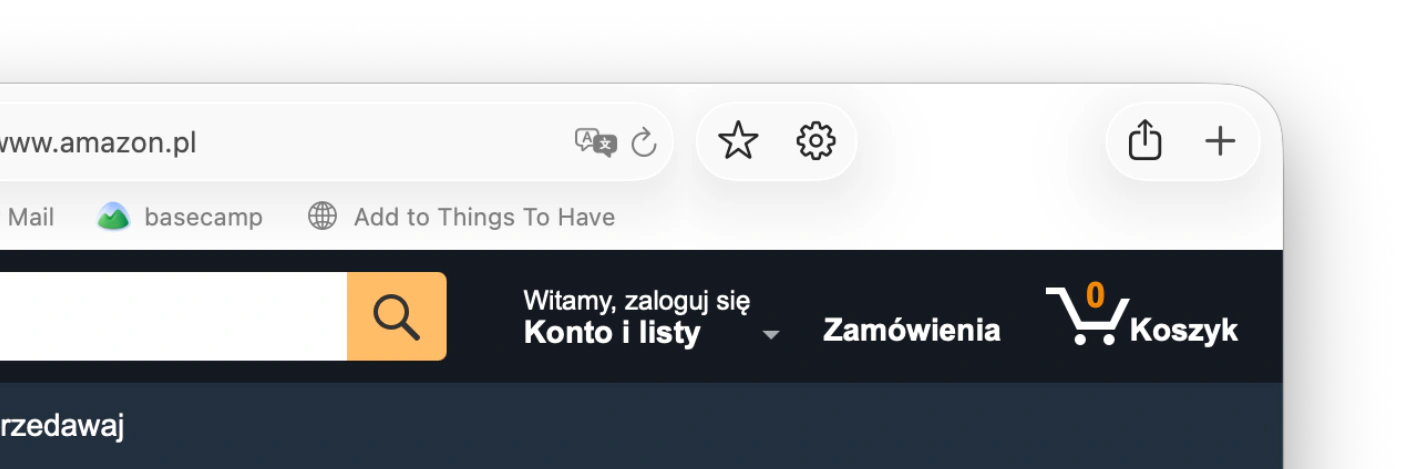
The bookmarklet in a browser favourites bar
Install
- Make your bookmarks bar visible. In Chrome and Edge, press Cmd/Ctrl + Shift + B. In Safari, choose View → Show Favourites Bar.
- Drag the button below to your bookmarks bar.
Drag the button to your bookmarks bar. Clicking it here does nothing.
javascript:(()=>{window.open('https://thingstohave.app/add?v=1&via=bookmarklet&url='+encodeURIComponent(location.href)+'&name='+encodeURIComponent(document.title),'tth','width=460,height=680')})()You can also click Copy, create a new bookmark, and paste the text into the URL field.
The button is also in Settings → Integrations → Quick add.
How to use it
Click the bookmarklet on any product page. A window opens with the name and link filled in. Things To Have fetches the price and image. Choose a list, make any edits, and press Save.
For your own website
If you run a shop or a blog and want visitors to save your products, add the Save to wishlist button to your pages.